
01 / STAY IN CONTEXT
Media controls and calendar at eye level.
See system Now Playing information, artwork, playback progress and transport controls without opening the source app. A compact calendar view can keep upcoming events beside the media surface when you choose to grant Calendar access.
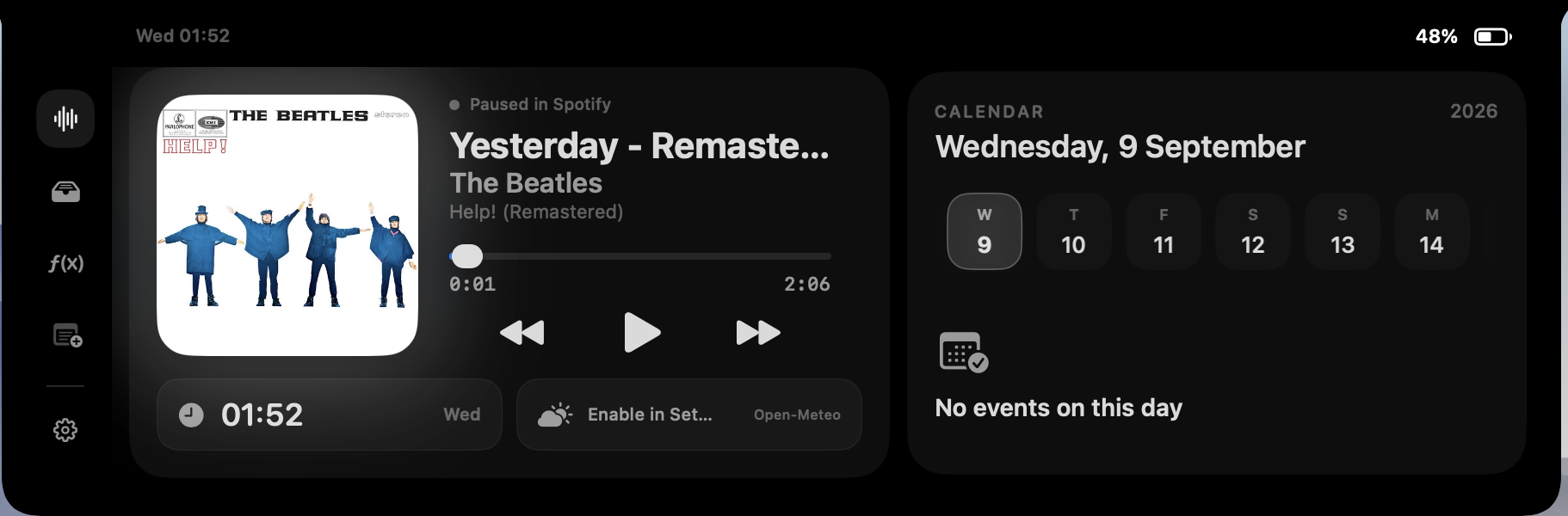
Media, anywhere
Use the current macOS media session where available, with a narrower Automation fallback for selected apps and browsers.
EXPLORE MEDIA CONTROLS →Calendar glance
Review upcoming events close to the notch. Calendar permission stays optional and is requested only when the feature needs it.
CALENDAR PERMISSION →02 / TEMPORARY BY DESIGN
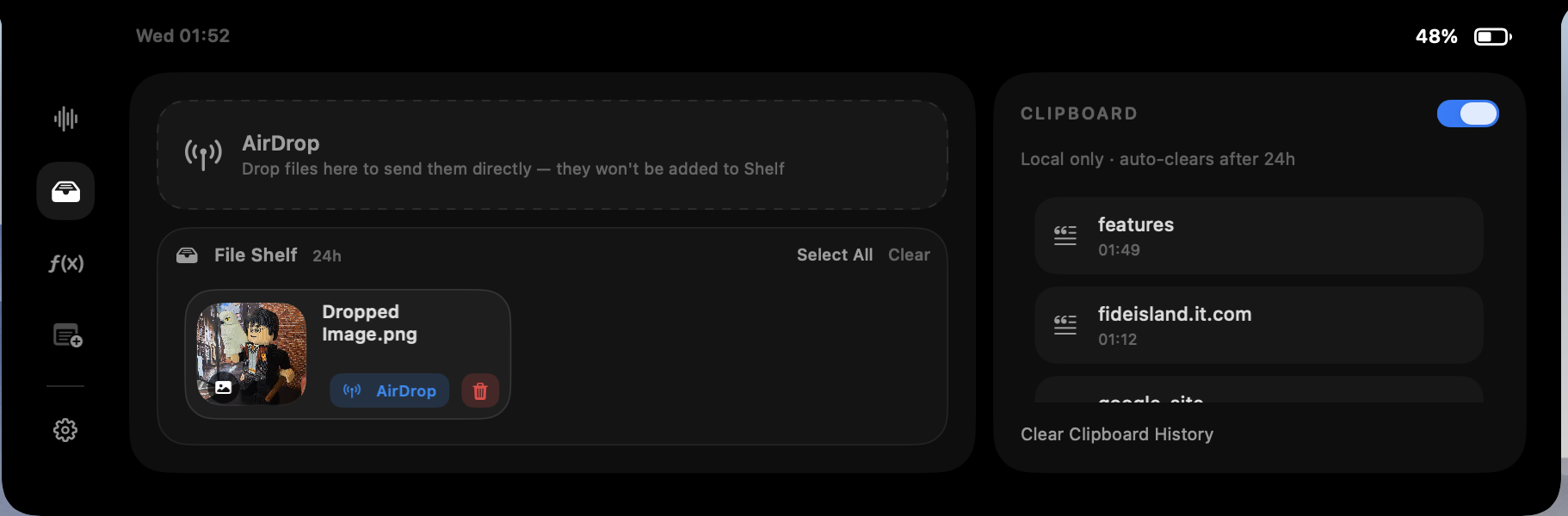
A file shelf and clipboard history for short-lived work.
Drop selected files into a temporary shelf and keep recent clipboard items close by. The feature is designed for quick handoffs, not permanent storage: shelf copies and clipboard history are stored locally and designed to expire after 24 hours.
Files are added only when you select or drop them. Fide Island does not upload shelf files or clipboard content to its own access service.
03 / WORDS CLOSE AT HAND
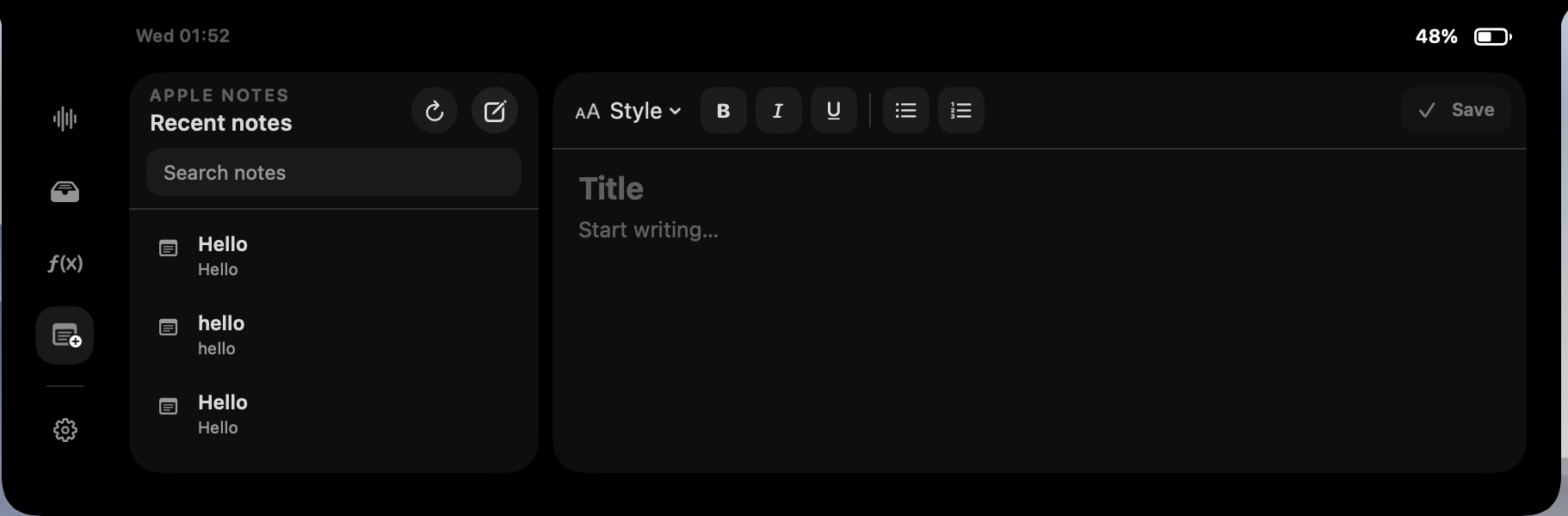
Apple Notes and on-device translation.
Browse recent notes, search, create, edit and open them in Apple Notes after granting the macOS Automation permission. Fide Island does not maintain a separate cloud copy of your notes.
On macOS 15 or later, the Translator tab uses Apple’s Translation framework. Translation content is processed on the device and is not sent to Fide Island servers.
The main app requires macOS 14 or later. On-device translation specifically requires macOS 15 or later.
04 / SMALL TASKS
Calculate, convert and see system feedback.
Use a compact calculator, convert currencies with a cached fallback rate, and optionally show fluid brightness, volume and mute feedback around the notch. Local weather and a Gemini assistant are optional rather than required parts of the experience.
If you enable Gemini, you provide your own API key. The key is stored in macOS Keychain, and prompts are sent only when you submit them.
05 / TRANSPARENT ACCESS
Turn on only the features you want.
Fide Island is local-first. Optional permissions remain off until a feature needs them, and the site documents why each permission exists, what remains on your Mac and which limited functions use the network.